
VenueGrade
ZONE TERMINAL Rated, confirmed, reported.

Stop guessing how clean your venue is — measure it.

The VenueGrade zone terminal collects visitor satisfaction ratings and staff cleaning confirmations on one screen. The panel and mobile app show the state of every zone in real time.

Panel & app included 4.3-inch touchscreen · WiFi Set up in 5 minutes Optional environmental sensor
VenueGrade Terminal
VenueGrade Terminal4.3-inch touchscreen · Wi-Fi connection
Hardware

The hardware on site

A wall-mounted touch terminal collects visitor votes and staff sign-offs; an optional sensor module measures the air and vibration in the zone.

01TerminalIn every order
VenueGrade Terminal

VenueGrade Terminal

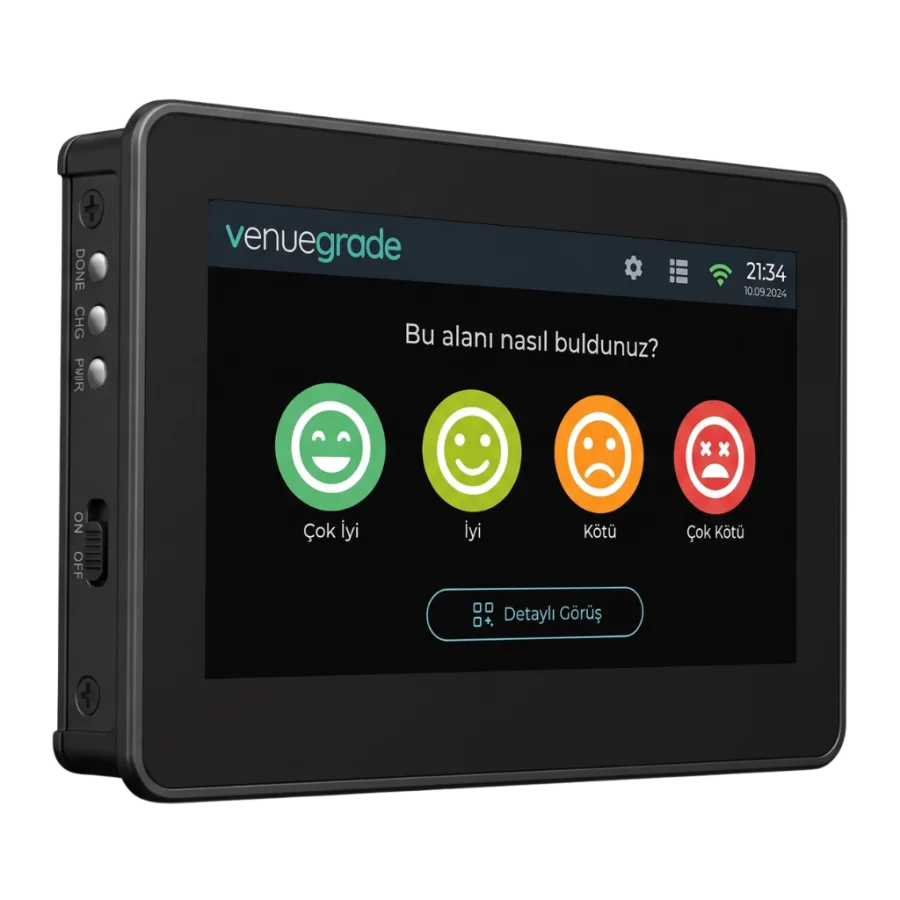
Mounted at the zone entrance, powered by an adapter and connected to the panel over Wi-Fi. If the connection drops, votes are queued on the device and sent when it returns.

  • 4.3-inch touchscreen
  • Wi-Fi connection
  • 12 V adapter
  • Battery-backed clock
02Add-onOptional
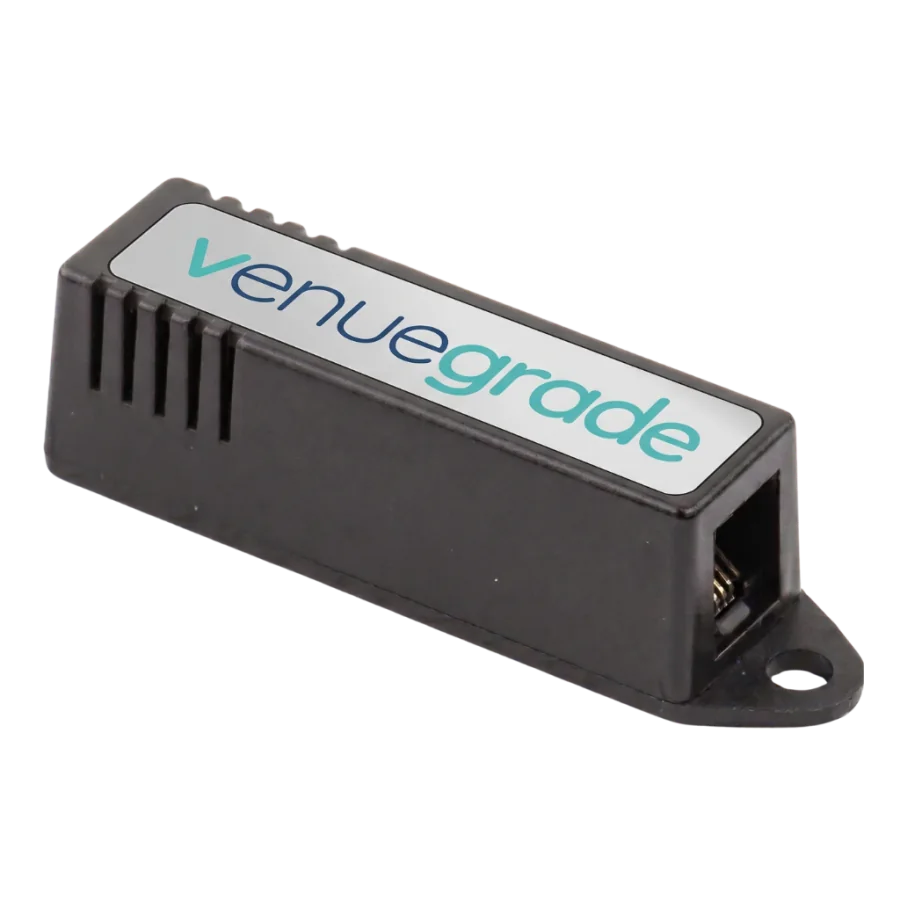
Sensor Module

Sensor Module

Mounted apart from the terminal, so it measures the air in the zone without picking up the device's own heat, and detects building vibration.

  • Temperature and humidity
  • Barometric pressure
  • Air quality
  • Vibration
One terminal, fully equipped

What happens in the zone, on one screen

From visitor ratings to staff confirmations, from QR feedback to the offline queue — the terminal’s core capabilities and the sensors you can fit to it.

4.3-inch touchscreen

An 800×480 capacitive touch panel — mounted in the zone, readable from a distance.

Four-level satisfaction rating

Visitors rate from very poor to very good with a single touch; the vote reaches the panel instantly.

One-touch cleaning request

A visitor taps “Request cleaning” and staff get an instant notification.

Staff PIN confirmation

The member of staff who cleaned confirms it with a device-specific 6-digit PIN.

QR visitor feedback

The QR code on screen takes visitors to a detailed feedback form.

WiFi and offline queue

If the internet drops, votes accumulate on the device and are sent in order once it returns.

Remote firmware updates

A new version is published from the panel; terminals update without a site visit.

Screen management from the panel

The question, the rating options and which sections appear are all set from the panel.

See all features
4.3"Touchscreen
4Rating levels
7/24Always-on monitoring
3Languages
Straight out of the box

Four steps to go live

A power socket and WiFi are all you need. No cabling, no servers, no technical crew.

1

Mount the terminal in the zone

Fix it at a restroom entrance, in a corridor or a floor lobby with the wall mount; all it needs is a power socket.

5 minutes
2

Join the WiFi

Tap the WiFi icon on the screen, pick the network and enter the password. No computer or separate app required.

On the screen
3

Pair it in the panel

The terminal shows its serial number; enter it in the panel, then name the zone and set the question shown on screen.

By serial number
4

Watch the data arrive

The moment the first visitor touches the screen, ratings land in the panel and staff confirmations and reports start building up.

Instantly
Good to know

Frequently asked questions

From installation to data security, from sensors to pricing — the questions we hear most.

No. The device is mounted on the wall, the 12 V adapter is wired to its terminal block, and WiFi is joined from the screen itself — no computer, no cabling, no server. You then enter the serial number in the panel and name the zone. It averages five minutes per zone; a floor with ten zones is done in a morning.
At the exit of the zone, roughly 140 cm above the floor. Visitors rate on the way out, not on the way in — having just had the experience is what makes the measurement meaningful. Avoid surfaces in direct sunlight and spots exposed to splashing; next to the exit door beats directly opposite the sink. In zones with wheelchair access you can drop it to 110–120 cm.
A mains socket and 2.4 GHz WiFi coverage. The terminal runs on a 12 V 1 A adapter whose leads are screwed into the terminal block on the back. On the network side you do not need to open ports or assign a static IP — the device only makes outbound connections. Just check the signal strength at the mounting point with your phone beforehand.
The rule of thumb is one terminal per zone you want to measure separately. In a mall, the men’s and women’s restroom entrances on each floor count separately; in a hospital, the outpatient corridors; in a hotel, the lobby and floor landings; in a factory, the changing rooms and canteen. You can cover both restrooms with one terminal, but then you lose the ability to separate the data — most sites prefer to split them. Get in touch and we will work it out against your floor plan.
FAQ
Watch your zones from your pocket

Download the VenueGrade app for free

Free for iOS and Android. Zone status, cleaning requests and reports always in your pocket.

Cookies and your privacy

We store a few settings in your browser so the site works. Optional content such as the maps on the contact page loads only if you allow it. Cookie Policy