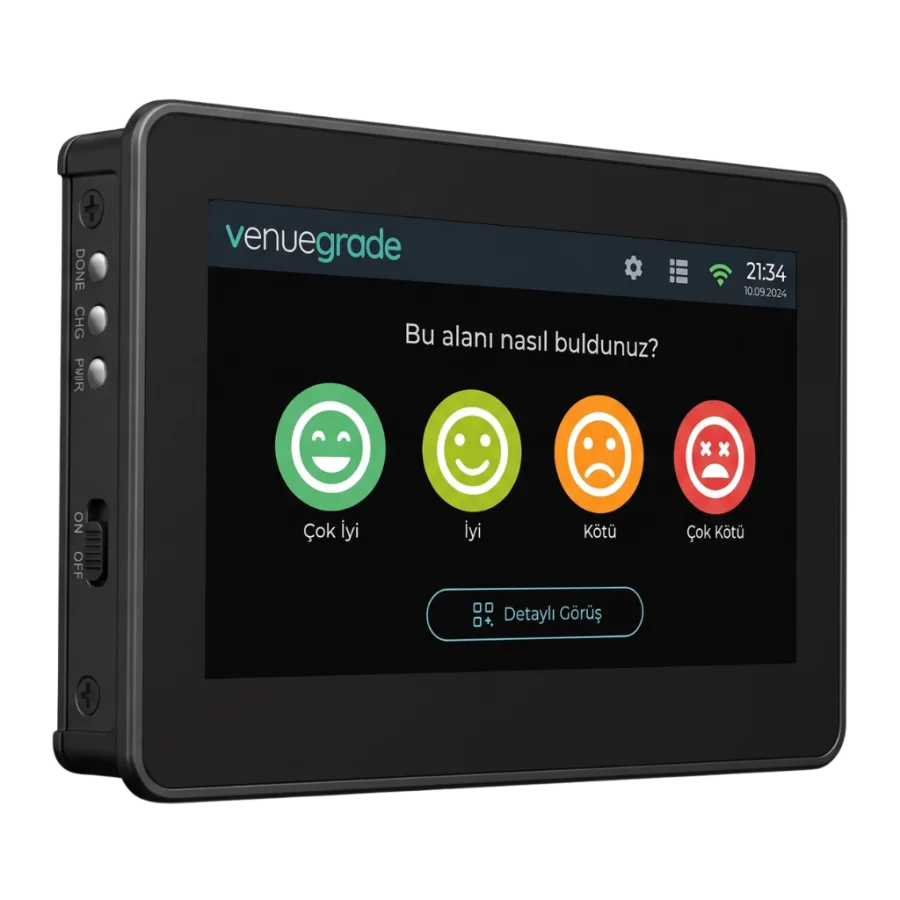
4.3-inch touchscreen
A 4.3-inch capacitive touch panel on an ESP32-S3 board. 800×480 resolution, a wide viewing angle and panel-adjustable brightness — legible in a dim corridor and under shop lighting alike.
Four-level satisfaction rating
Four faces on screen — very poor, poor, good, very good — let a visitor rate in seconds. Option names and count are set from the panel; a disabled option disappears from the screen without corrupting historical data.
One-touch cleaning request
Visitors report an issue the moment they see it. When a request opens, a warning bar appears on the screen, the zone turns red in the panel and staff receive a mobile notification. When staff confirm “Cleaned”, the bar clears and the response time is recorded automatically.
Staff PIN confirmation
Each terminal’s PIN is derived from its own serial number and appears in the panel by the same formula. Staff enter the PIN and confirm “Cleaned”; who cleaned which zone and when is recorded automatically — no paper checklist needed.
QR visitor feedback
The QR code is generated with a time-based token and refreshes every minute, so a photo of the screen cannot be reused elsewhere. Visitors scan it, leave a written comment and can attach a photo.
WiFi and offline queue
The terminal joins WiFi from the screen itself. When the link goes down, votes and cleaning records queue in the device’s persistent memory and stream to the cloud in order — with their timestamps — once the line is back. The queue is sized for an outage lasting hours.
Remote firmware updates
Updates are published from the panel; the terminal verifies the package signature (SHA-256) before installing. If four boots fail in a row after an update, the device rolls back to the previous version on its own — no USB cable trip to the site.
Screen management from the panel
Every element on the screen is managed from the panel: the question, which rating options appear, the QR card, the theme and the language. Changes reach the terminal on its next check-in — nobody has to touch the device.